How do I find all known coding SNPs in a
specific genomic location for one or more strains?
How do I find all known coding SNPs in a
specific genomic location for one or more strains?
| Overview | ||
| You can use the Mouse SNP Query Form to search for mouse single nucleotide polymorphisms represented in dbSNP. Use this form to search for SNPs by associated gene, strain or strain comparison or genome coordinates. | ||
| Accessing the Mouse SNP Query Form | ||
|
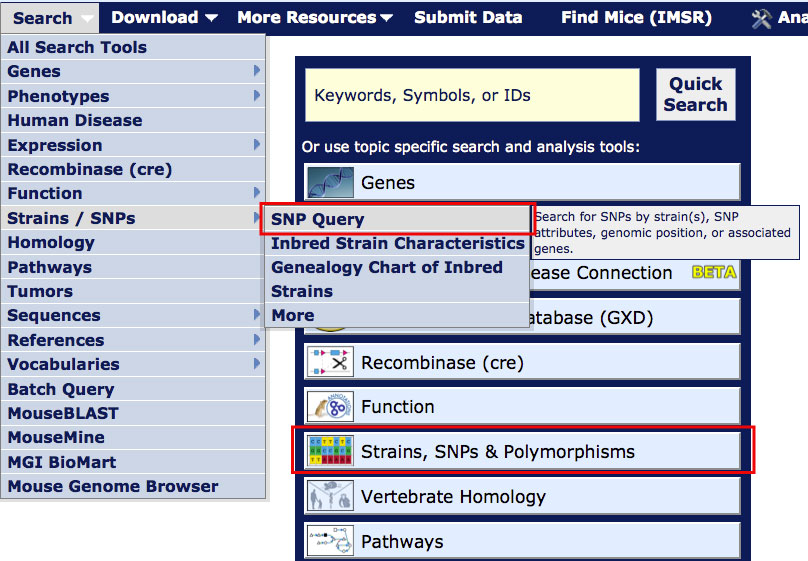
On most MGI pages, you can access the Mouse SNP Query Form
from the Search menu as shown in the image at right.
For this tutorial, open the Mouse SNP Query Form in a new window. Scroll down this page for further instructions. |
|
|
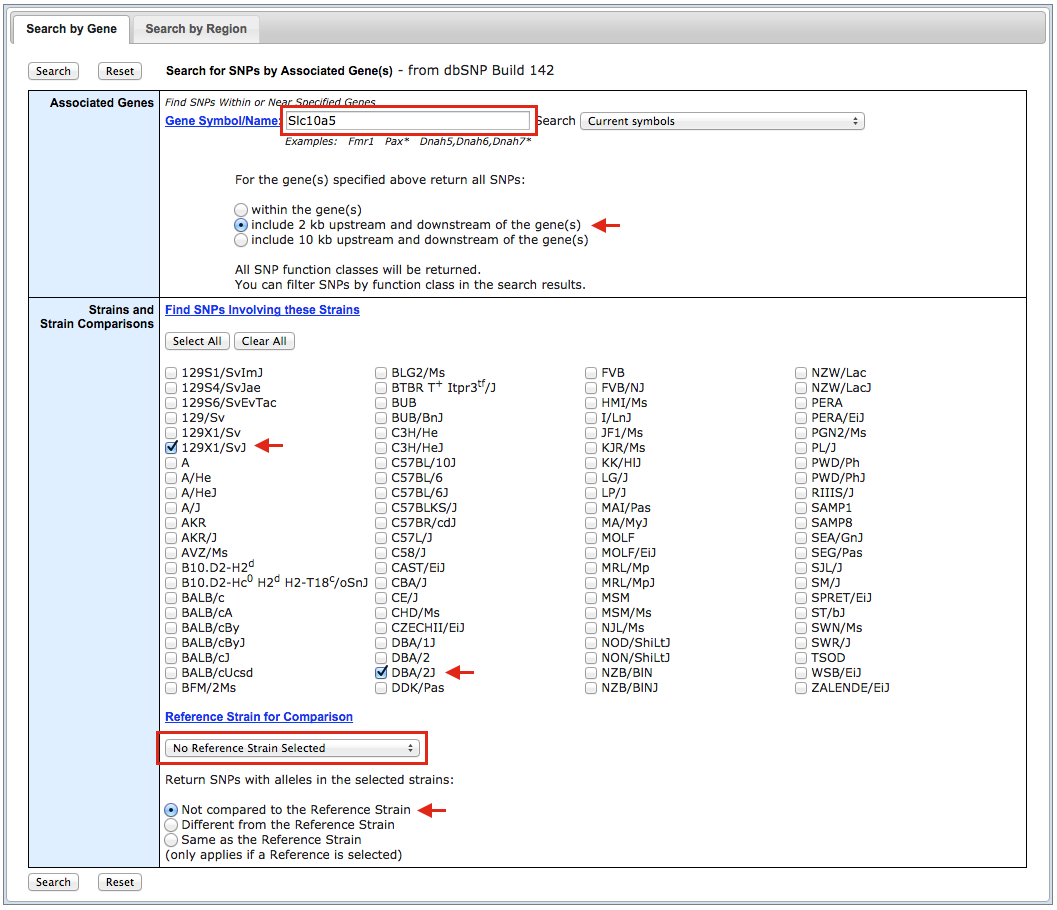
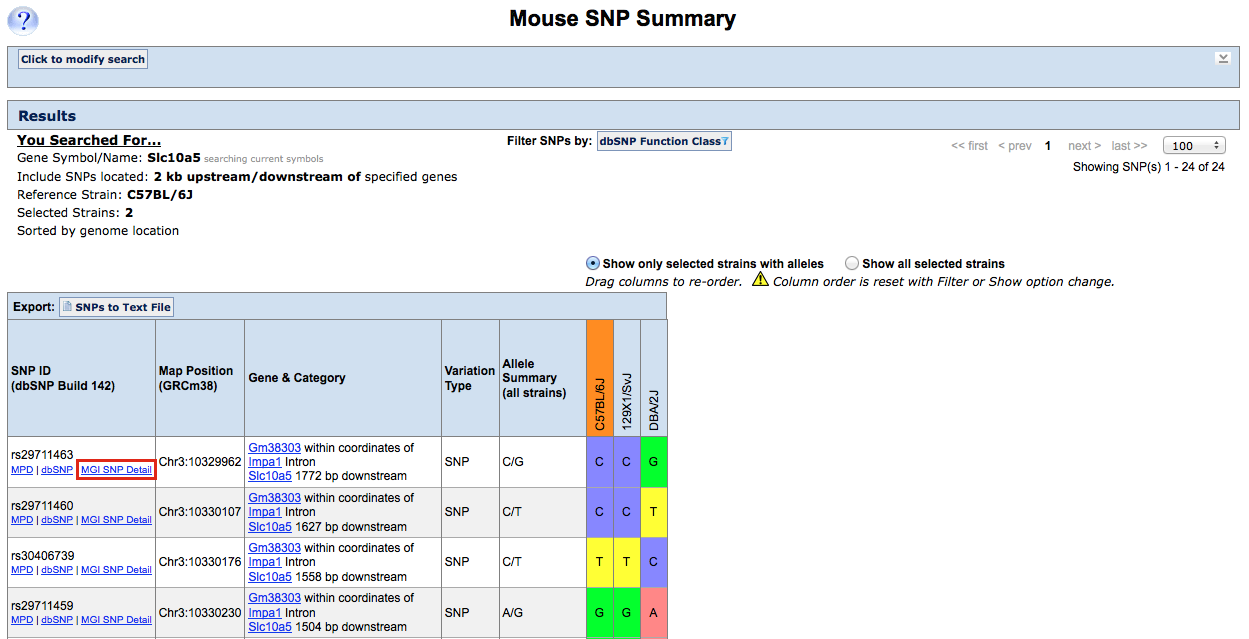
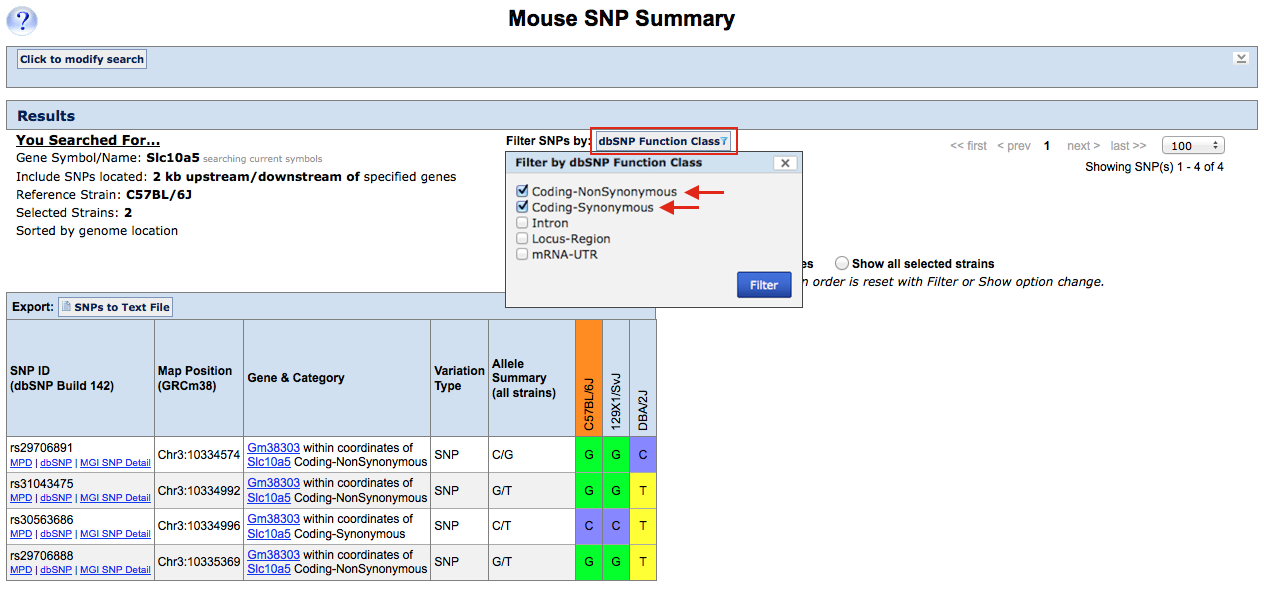
| Example 1. Finding coding SNPs in Slc10a5 for strains 129X1/SvJ, C57BL/6J and DBA/2J | ||
|
|
|
|
|
|
|
|
|