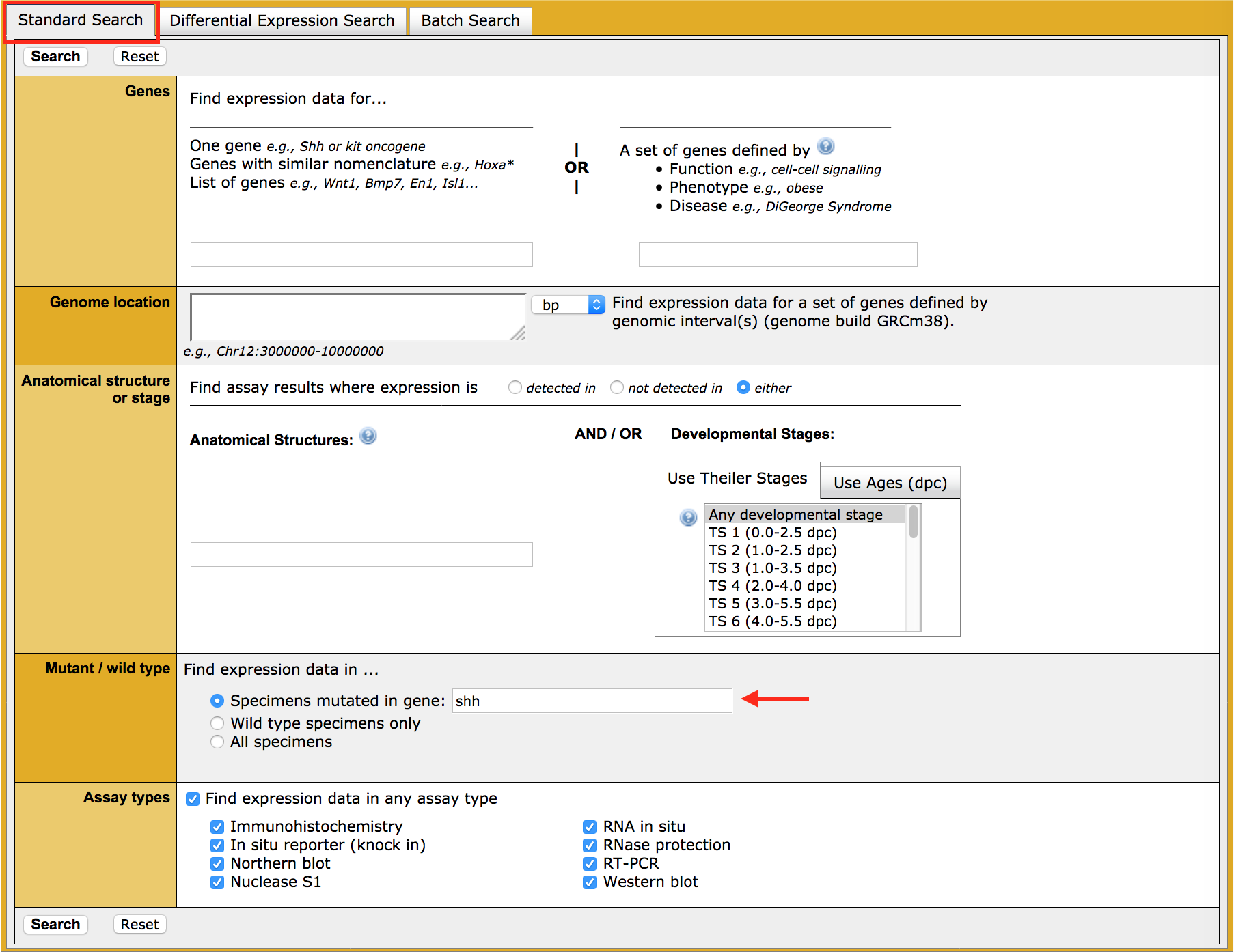
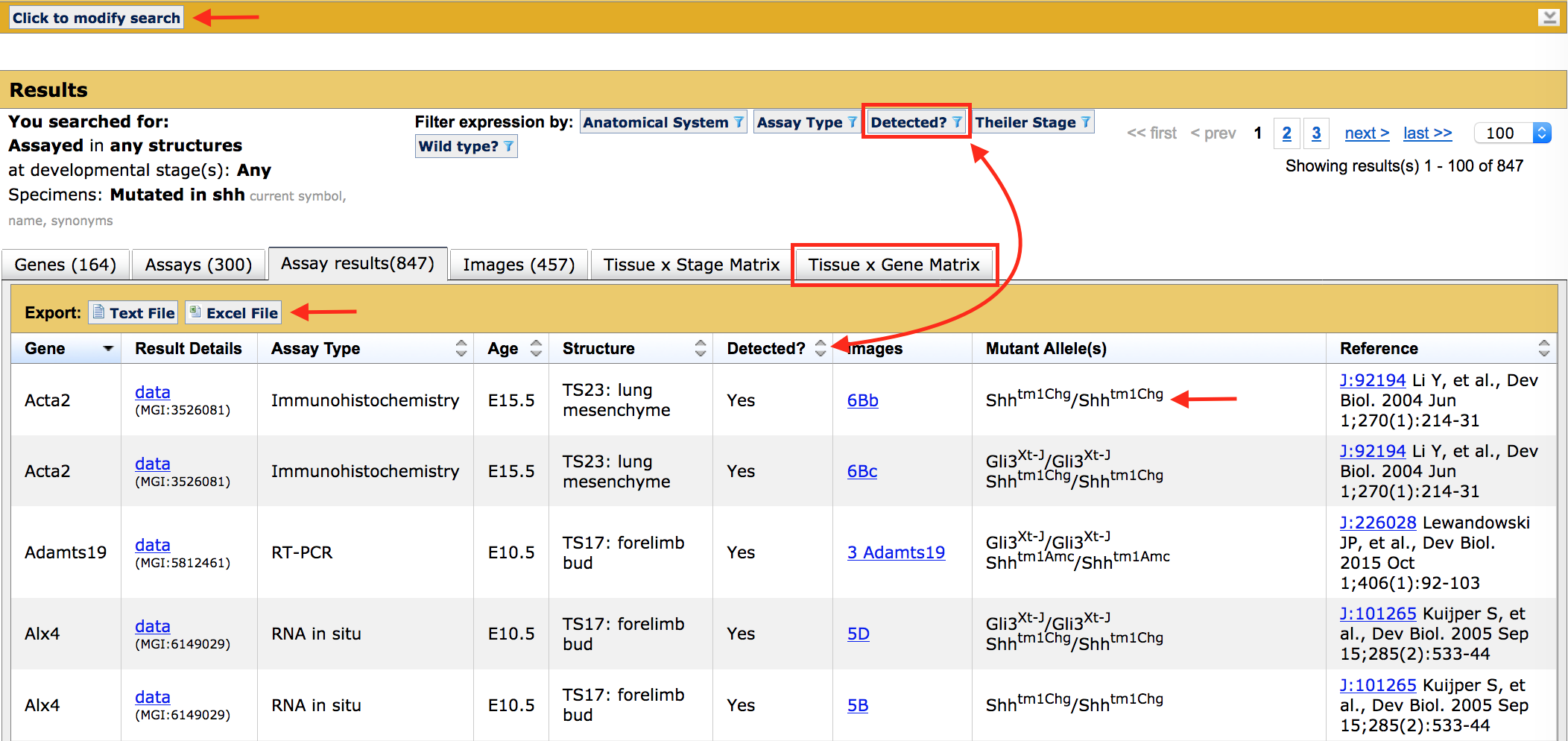
How do I find expression data in mouse mutants?
| Overview | ||
| You can use the Gene Expression Data Search Form to find detailed expression data of greatest interest to you using a variety of query parameters. | ||
| Accessing the Gene Expression Data Search Form | ||
|
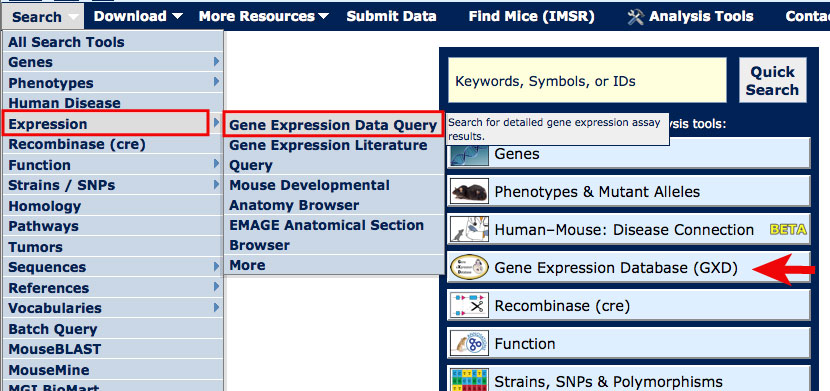
On most MGI pages, you can access the Gene Expression Data Search Form from the Search menu as shown in the image at right.
For this tutorial, open the Gene Expression Data Search Form in a new window. Scroll down this page for further instructions. |
|
|
| Example 1. Finding expression assays for Shh mutants | ||
|
|
|
|
|
|