How do I use attributes such as genome location,
disease association, phenotype, or function to find specific genes?
How do I use attributes such as genome location,
disease association, phenotype, or function to find specific genes?
| Overview | ||
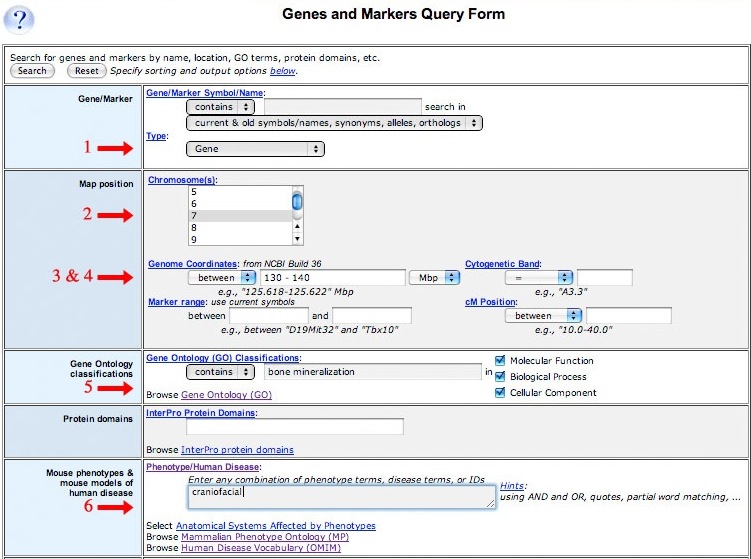
| You can use the Genes and Markers Query Form to narrow your search to a specific region of the mouse genome. Within this interval, you can choose to retrieve genes or other marker types associated with a human disease, mouse phenotype, or function. | ||
| Accessing the Genes and Markers Query Form | ||
|
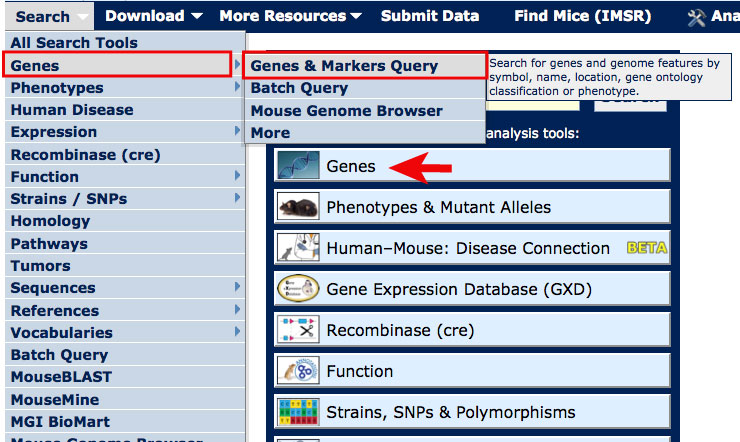
On most MGI pages, you can access the Genes and Markers Query Form
from the Search menu as shown in the image at right.
For this tutorial, open the Genes and Markers Query Form in a new window. Scroll down this page for further instructions. |
|
|
| Example 1. Finding genes associated with bone mineralization and a craniofacial phenotype on Chromosome 7 between 130 and 140 Mbp | ||
|
|
|