How do I find a recombinase-expressing transgene or knock-in that is expressed in a specific tissue?
Find Recombinase-Carrying Alleles
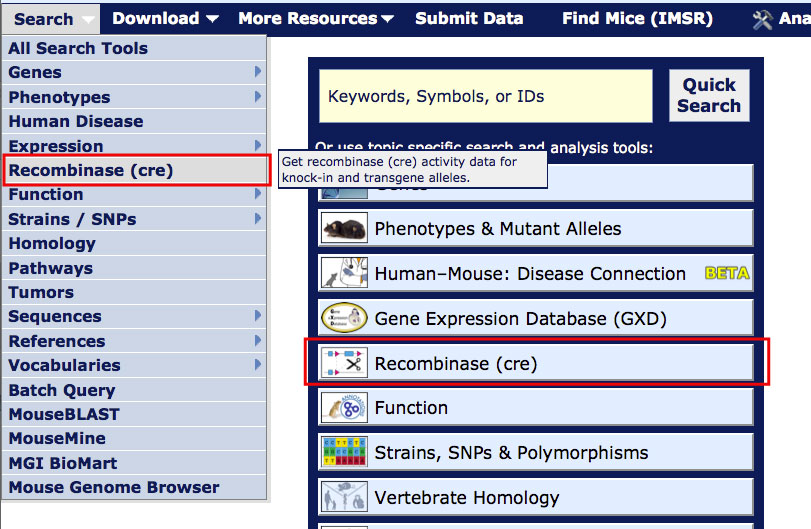
On most MGI pages, you can access the Recombinase (cre) Activity page from the Search menu as shown in the image at right. From the homepage, you can also access this page by clicking on the "Recombinases (cre)" header or icon.

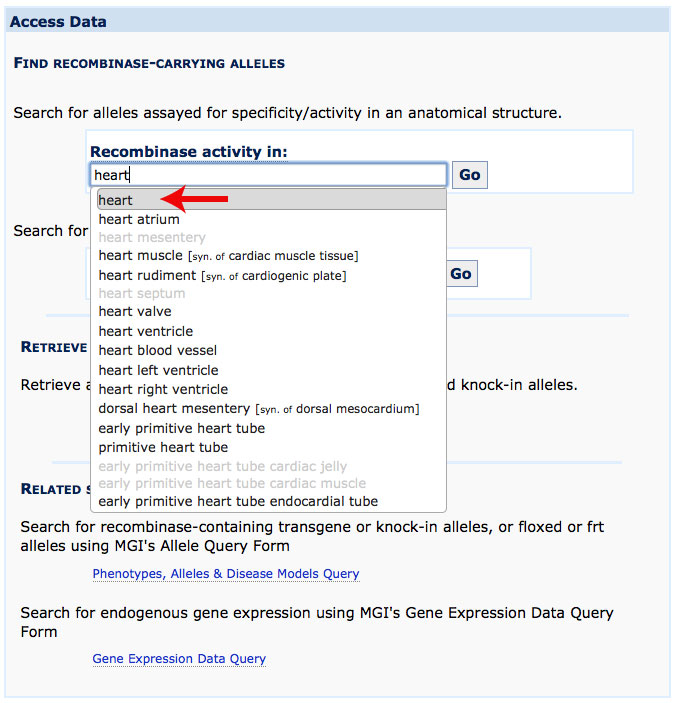
For this tutorial, open the Recombinase (cre) Activity page in a new window. Scroll down this page for further instructions. The Access Data section allows you to search for recombinase expression in a specified tissue or under the control of a given gene.

Search Menu

Example 1. Finding a transgene expressing recombinase in the cardiovascular system.
  1. Select cardiovascular system from the Recombinase activity in selection list.

  2. Click Go.
cardiovascular
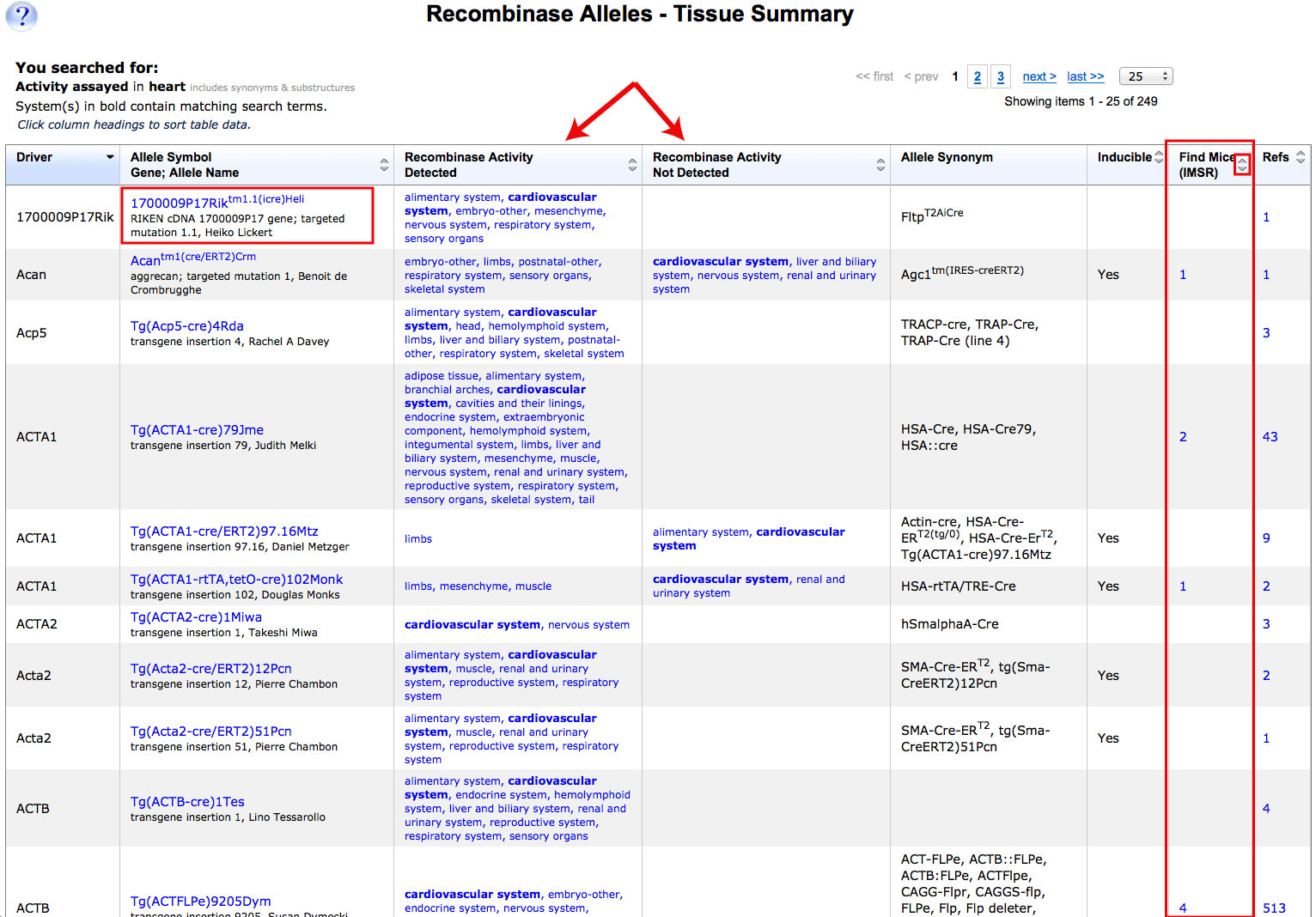
  1. In the summary page that appears, click the link to phenotype data below an allele symbol to go to the detail page for more information.
cardiovascular results summary
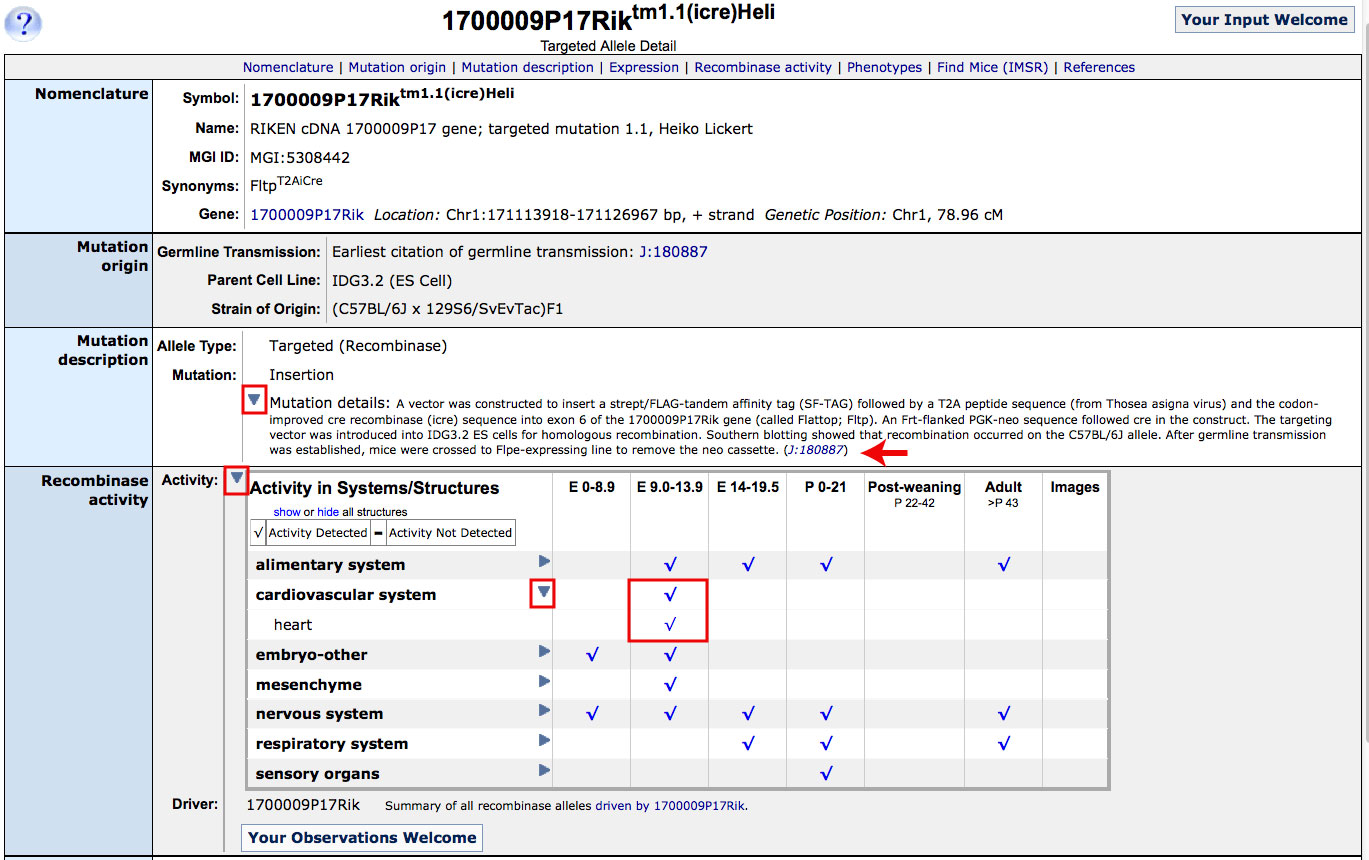
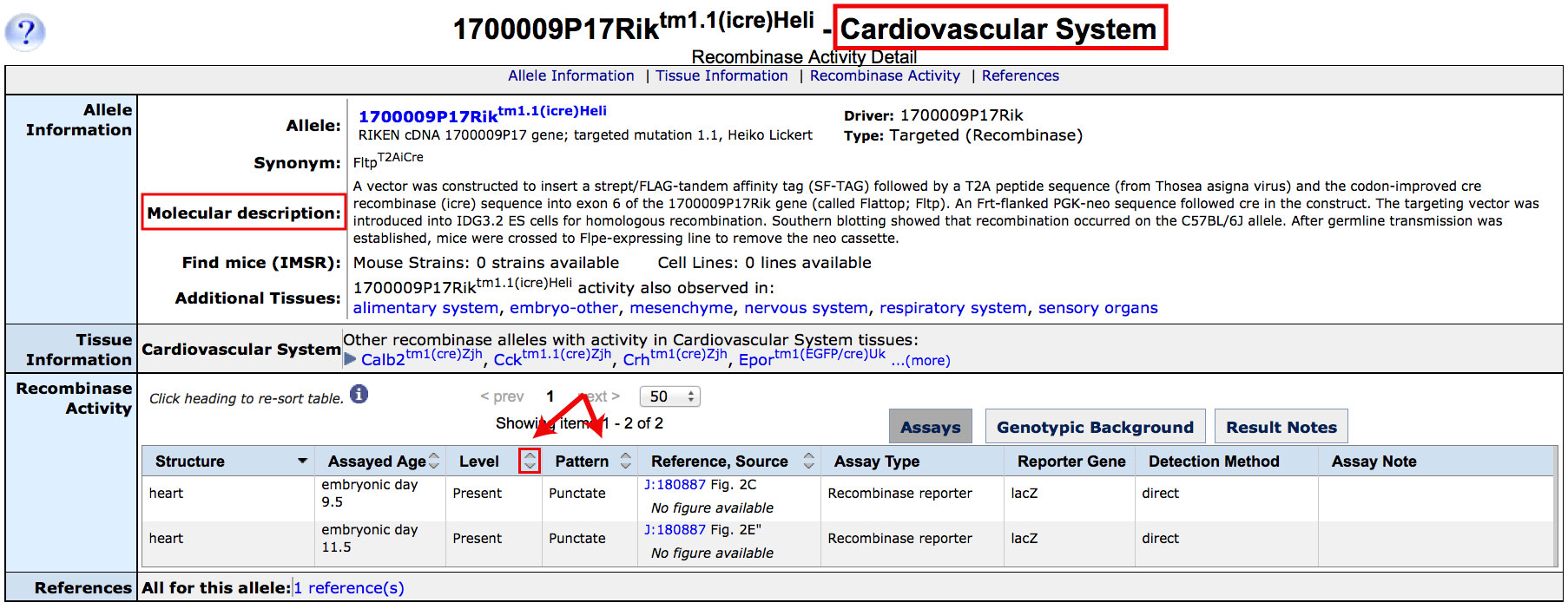
  1. In the Targeted Allele Detail page that appears, you can find detailed information about this allele including:

      (a) evidence for presence, absence and/or distribution of cre activity within selected organ systems by following the links in the Recombinase Activity row.

      (b) phenotypes that have been observed in mice carrying this allele.

      Phenotypes associated with orange homozygous ("hm") genoytpes refers to the transgene alone; in cases where the cre allele has been used to drive a tissue specific conditional knockout, the genotype will be indicated as conditional ("cn"). Phenotypes associated with conditional genotypes are generally due to the effect of deleting the targeted exons.

Acan